Skip to content
Netly
Personal CRM for your phone

Never forget what people tell you.

After a meeting, tell Netly in one sentence what you learned - typed or spoken. AI creates the contact, note and tags for you. No forms, no copying things into fields.

  • Now on both stores
  • GDPR-compliant
  • AI-first
  • iOS · Android
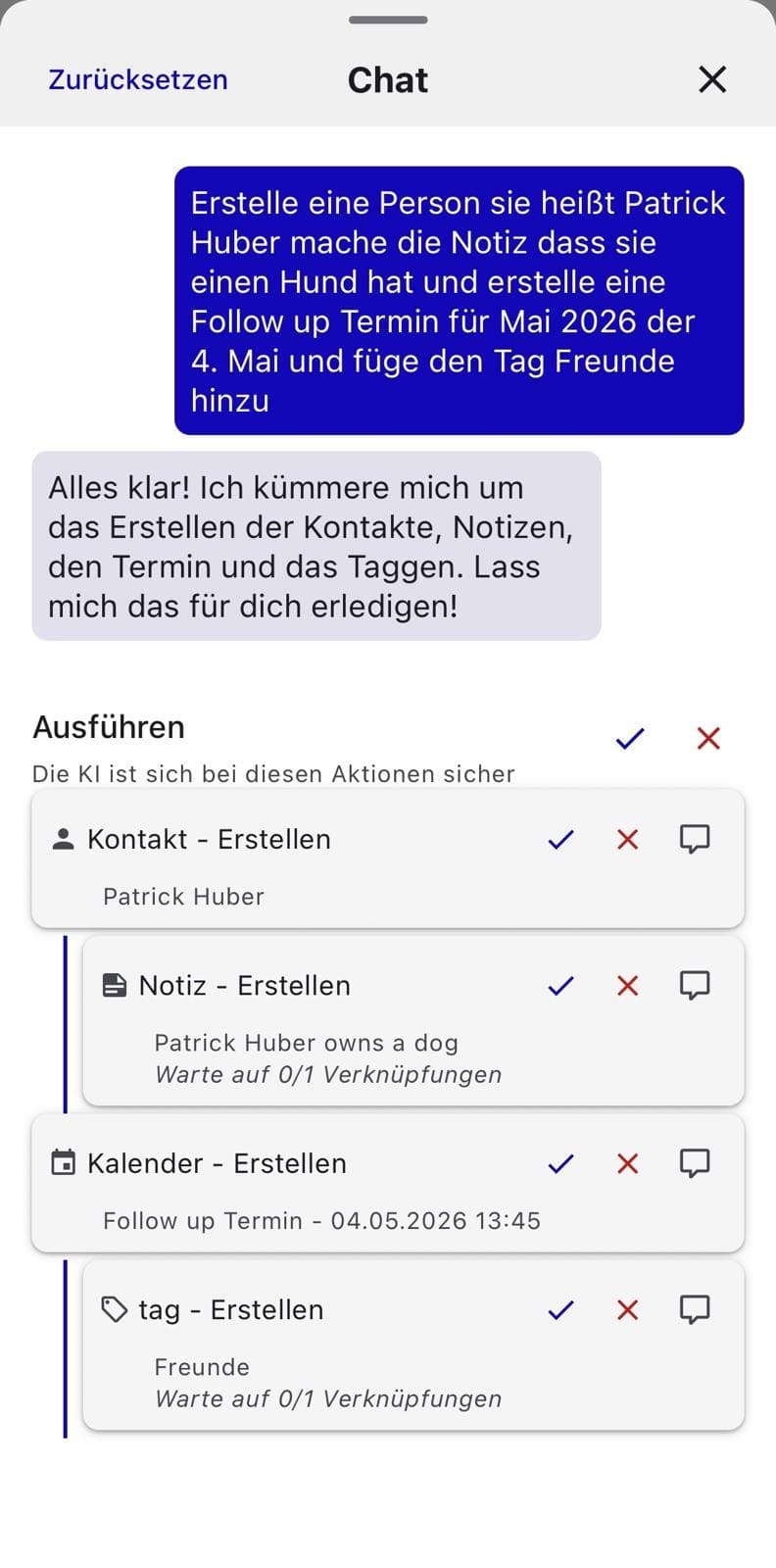
Netly AI chat - one prompt creates a contact, a note, a calendar event and a tag at once

What sets Netly apart

Categorize, tag and summarize automatically
AI-first
GDPR · Hosted in Austria
Made in EU
iOS · Android
Native mobile
EU AI Act compliant
Limited Risk AI
From zero to networking expert in 4 steps

Here's how you unlock it.

You don't need to figure anything out. Netly walks you through - and AI is your co-pilot from minute one.

  1. Step 01

    Import your contacts

    Pull your existing contacts straight from your phone - one tap, no friction.
    • Straight from your phone contacts
    • Automatic duplicate detection
    • Tags and custom fields preserved
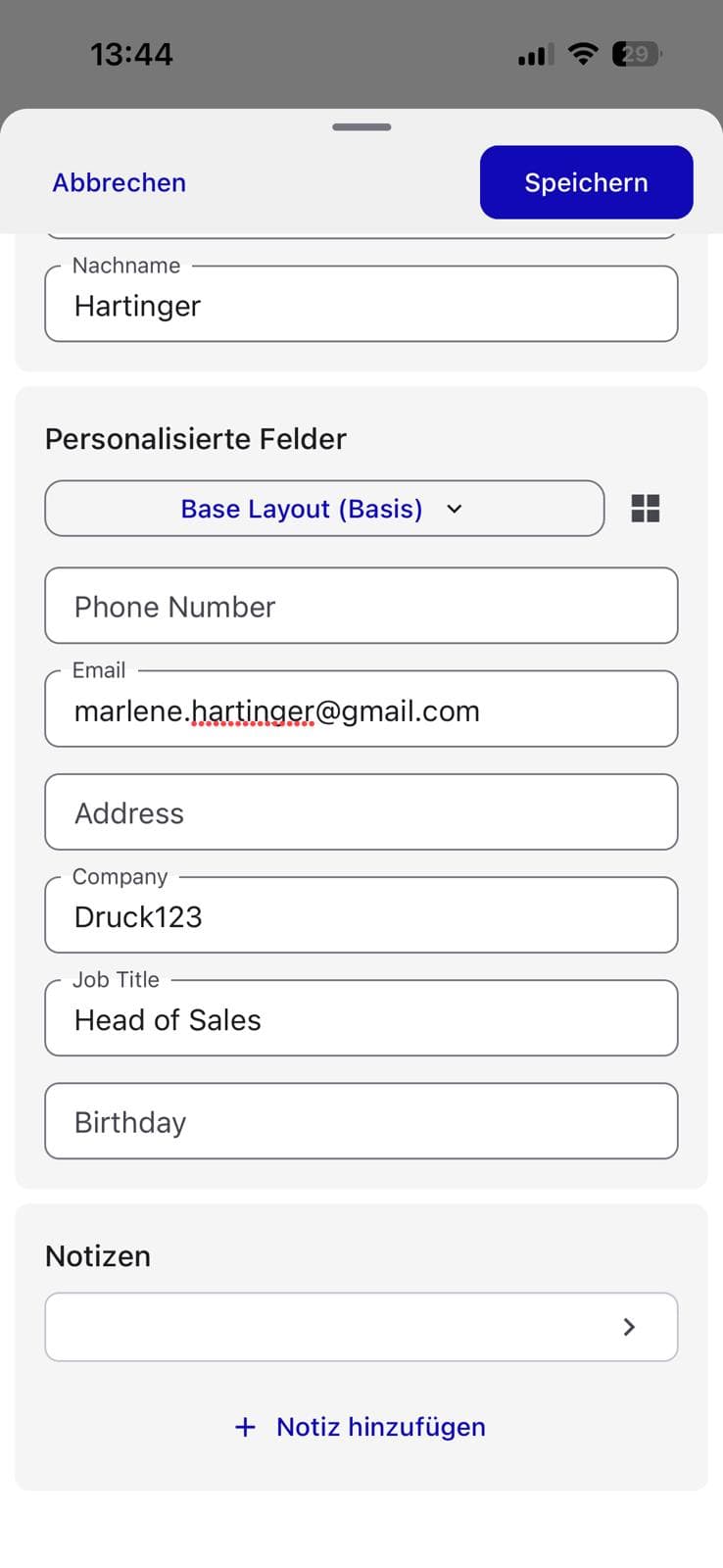
    Netly contact creation - adding a person with personalized custom fields
  2. Step 02

    Connect your calendar

    Connect the calendar on your phone - iPhone or Android, synced both ways. Netly instantly knows who you meet when, and what's on your plate.
    • iPhone & Android calendar, two-way sync
    • Pre-meeting briefings automatically
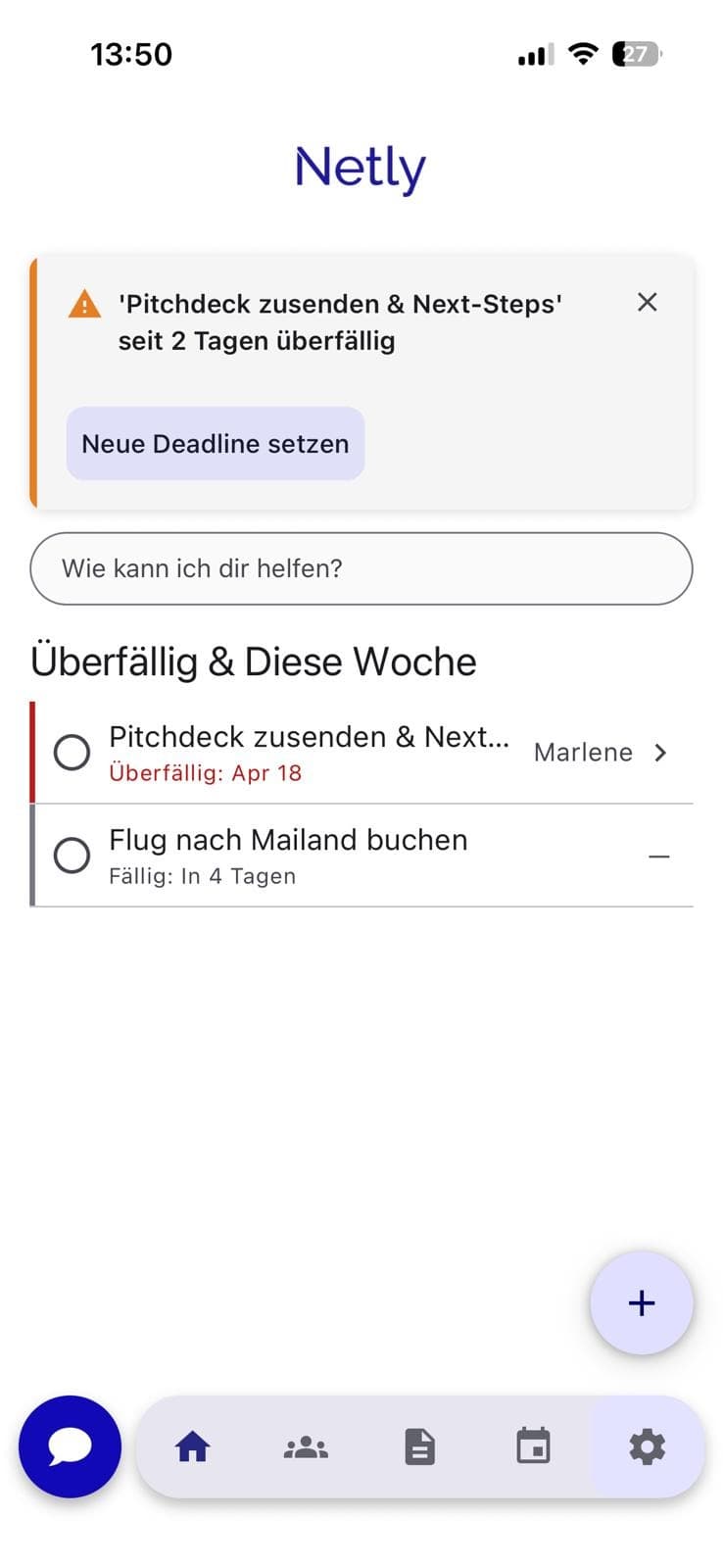
    • Overdue tasks on your dashboard
    Netly dashboard - overdue tasks and upcoming meetings this week
  3. Step 03

    Anywhere, in seconds, with AI

    Speak or type what you need - Netly creates people, notes, tasks and tags in one step. You talk, AI works.

    • Voice or type - wherever you are
    • AI catches contact + note + event + tag from one prompt
    • You confirm, AI does the rest
    Netly AI chat - one prompt creates a contact, a note, a calendar event and a tag at once
  4. Step 04

    Become the networking expert

    Smart reminders for follow-ups, birthdays and trigger events. Nobody slips through the cracks anymore.
    • Smart follow-up reminders
    • Birthdays & anniversaries automatically
    • Tag filters: find anyone in seconds
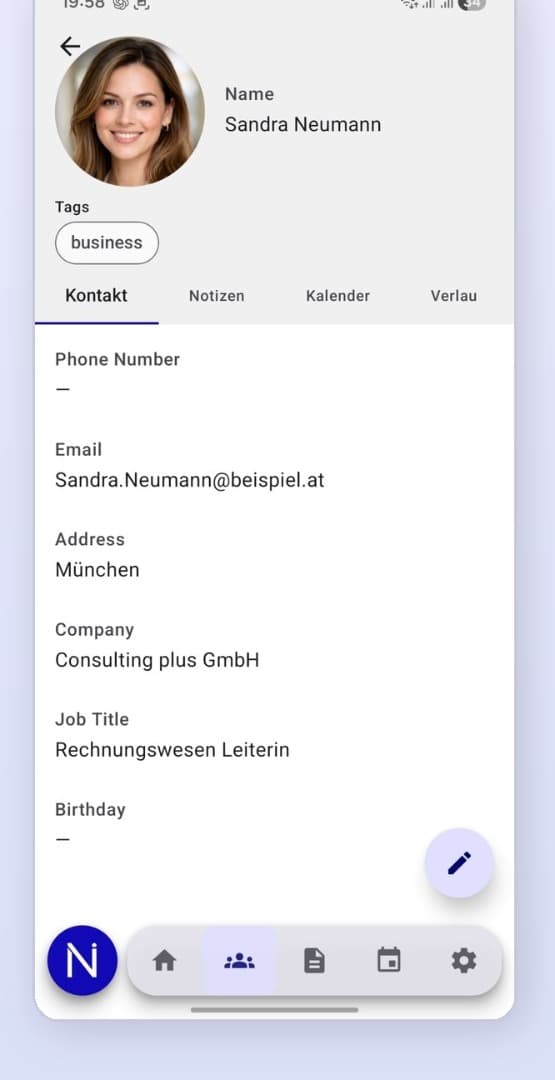
    Netly contact detail - Sandra Neumann (Consulting plus GmbH, Munich) with business tag
What the AI does for you

You talk. Netly works.

Other CRMs ask you to think in clean data models. Netly doesn't. AI sorts, categorizes and completes - you stay in the conversation.

Auto-categorization

New contacts land in the right bucket automatically - customer, lead, supplier, personal. Zero clicks required.

Dynamic new fields

Mention 'favorite wine' or 'dog named Bello'? Netly creates the field and fills it. Your CRM grows with you.

Smart summaries

Per contact, a living summary: what's been discussed, what's open, when last met. Up to speed in 5 seconds before any call.

Auto-tagging

Tags emerge from notes, calendar entries and voice input. Looking for the person from Vienna with banking contacts? Netly finds them.

Who it's for

Built for people who live by relationships.

Solopreneurs

Your network is your sales channel. Netly keeps it warm - even when you're heads-down doing the work.

Consultants

Clients, prospects, multipliers - all in one system, with AI-powered follow-ups.

Sales pros

Personal pipeline, zero CRM bureaucracy. Voice-capture after every meeting, AI fills the rest.

Coaches & mentors

Context for every coachee. Where did we leave off? Netly catches you up in seconds.

FAQ

The questions we hear most.

What exactly is Netly?
Netly is a personal CRM for your phone. After a meeting, tell it in one sentence what you learned about someone - typed or spoken. The AI turns that into a contact, note and tags, and brings the details back before you meet again. Netly is built for personal relationships and context, not for sales pipelines or teams.
How is Netly different from HubSpot, Notion or a traditional CRM?
Traditional CRMs are built for teams and pipelines - heavy when you're solo. Notion is a blank canvas that costs hours of setup. Netly is optimized for a single person from day one: AI categorizes automatically, fields emerge dynamically, voice-capture is native.
What data does Netly process and where does it live?
Your contacts, notes, calendar events. All data lives on GDPR-compliant servers in the EU. We never sell anything, AI processing runs anonymized.
Can I import my existing contacts?
Yes - in one step, straight from the contacts on your phone, including Google or Outlook contacts synced to the device. Takes seconds to minutes depending on size.
Do I need to import my contacts first?
No. Start with one sentence about a person. If you like, you can connect the contacts and calendar on your phone later - then you get a briefing before every appointment. Netly does not need email, LinkedIn or CRM integrations.
Does Netly work offline?
The app works offline for reading and creating. AI features (categorization, summaries) need a connection but catch up on the next sync.
What does Netly cost?
Netly is currently free to use - all core features, no time limit. A Pro plan with unlimited AI processing and multi-device sync is planned, but pricing has not been set yet. Anyone using Netly today will hear about any changes well in advance.
Who shouldn't use Netly?
If you're running a sales team of 20+ with a classic lead pipeline and forecast reports, HubSpot or Salesforce is your better fit. Netly also has no email sync, LinkedIn sync, deal stages, team features or forecasts. It is built for the personal layer.
Now available

Remember what people tell you.

Netly is now on the App Store and Google Play. Download the app and get started.

Download for Android

Get it onGoogle Play
QR code: Get it on Google Play

Scan with your Android camera - opens straight on Google Play.

Subscribe to the newsletter

Stay in the loop - tips, updates and news from Netly. No spam, unsubscribe anytime.

No spam. Unsubscribe anytime.